
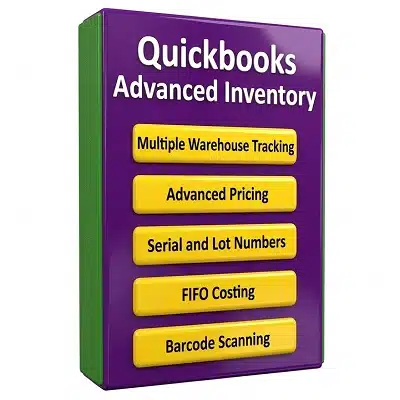
Quickbooks Advanced Inventory
Activate Quickbooks Advanced Inventory and Pricing for all versions of Quickbooks Desktop Enterprise 13.0 up to 24.0. What you get:
• Multi-Location Tracking: Manage stock across multiple warehouses.
• Serial and Lot Number Tracking: Track individual serial numbers for warranties.
• FIFO Costing: Switch from average cost valuation to First-In, First-Out costing.
• Barcode Scanning: Use barcode scanners to speed up picking, packing, & shipping.
• Bin Location Tracking: Organize your warehouse down to rows, shelves, and bins.
• Landed Cost Calculation: Add freight, shipping, tariffs to the total inventory cost.
$ 300
QuickBooks Advanced Inventory: Global QuickBooks Enterprise Solutions from Allsystems ________________________________________ Introduction to QuickBooks Advanced Inventory Managing inventory across multiple warehouses, stores, branches, and distribution points requires more than basic accounting software. Businesses need accurate stock information, reliable costing, barcode capabilities, detailed tracking, and powerful tools for purchasing and sales management. Allsystems provides QuickBooks solutions to businesses looking for professional inventory management and accounting capabilities, including QuickBooks Enterprise solutions with Advanced Inventory features. Allsystems is a global QuickBooks dealer serving businesses in Nairobi, Kenya; Mogadishu, Somalia; Kampala, Uganda; Dodoma, Tanzania; Kigali, Rwanda; Cape Town and Pretoria, South Africa; Addis Ababa, Ethiopia; Accra, Ghana; Brazzaville, Congo; Yaoundé, Cameroon; Gitega, Burundi; Kinshasa, DRC Congo; Juba, South Sudan, and numerous international markets across Africa, Asia, Europe, North America, South America, and the Middle East. For organizations searching for QuickBooks Advanced Inventory in Nairobi, QuickBooks Enterprise inventory management in Kenya, or a global QuickBooks dealer for multi-location businesses, Allsystems offers a centralized destination for software selection, licensing guidance, installation assistance, configuration support, and inventory-management solutions. ________________________________________ What Is QuickBooks Advanced Inventory? QuickBooks Advanced Inventory is designed for businesses that require more sophisticated inventory control than standard accounting and inventory features can provide. It is particularly useful for companies managing inventory across multiple locations or dealing with products that require serial numbers, lot numbers, warehouse bins, barcode identification, and specialized costing methods. Businesses can use Advanced Inventory capabilities to improve visibility over stock quantities and locations while connecting inventory operations with accounting activities. This can be especially valuable for wholesalers, distributors, retailers, manufacturers, importers, exporters, pharmacies, electronics companies, spare-parts businesses, and organizations operating several warehouses. Important capabilities associated with Advanced Inventory include Multi-Location Tracking, Serial and Lot Number Tracking, FIFO Costing, Barcode Scanning, Bin Location Tracking, Landed Cost Calculation, and Advanced Pricing. The exact availability of individual features can depend on the QuickBooks Enterprise edition, subscription or licensing arrangement, and product configuration. Businesses should therefore confirm feature compatibility before purchasing or upgrading. ________________________________________ QuickBooks Enterprise 2013 Advanced Inventory Businesses researching QuickBooks Enterprise 2013 Advanced Inventory often want to continue using an established accounting environment while improving warehouse and inventory management. For companies still operating legacy QuickBooks Enterprise installations, the first step should be determining the current software version, company-file compatibility, operating-system requirements, and inventory-management requirements. A business considering an older edition should also evaluate whether its current inventory processes can be improved through a newer supported solution. Legacy software may present compatibility, security, integration, or support considerations that should be reviewed before deployment. Allsystems can help businesses compare their existing QuickBooks environment with their current operational requirements and determine an appropriate upgrade path. ________________________________________ QuickBooks Enterprise 2014 Advanced Inventory QuickBooks Enterprise 2014 Advanced Inventory is another version frequently searched by businesses looking for historical QuickBooks Enterprise inventory functionality. Companies using older versions should begin with an inventory-management assessment. Identify the number of warehouses, number of active inventory items, purchasing volume, sales channels, tracking requirements, and number of employees who need access to inventory information. A structured assessment makes it easier to determine whether an older QuickBooks Enterprise version remains appropriate or whether upgrading would provide better functionality and compatibility. For businesses searching for QuickBooks Enterprise 2014 Advanced Inventory support, installation guidance, product information, or migration planning, Allsystems provides professional assistance designed around the customer's accounting and inventory requirements. ________________________________________ QuickBooks Enterprise 2015 Advanced Inventory QuickBooks Enterprise 2015 Advanced Inventory can be relevant to businesses researching older QuickBooks Enterprise editions and comparing historical inventory capabilities. One important consideration is inventory visibility. A company with multiple warehouses may need to know not only how much stock it owns but also where that stock is located. This is where Multi-Location Tracking becomes particularly valuable. Instead of relying on spreadsheets or manually maintained warehouse records, businesses can organize inventory information according to operational locations. This can reduce confusion when sales teams, purchasing staff, warehouse employees, and accountants need consistent information. Before installing or migrating an older QuickBooks Enterprise edition, businesses should create a backup of their company data and verify compatibility requirements. ________________________________________ QuickBooks Enterprise 2016 Advanced Inventory QuickBooks Enterprise 2016 Advanced Inventory is commonly associated with businesses seeking stronger inventory controls within the QuickBooks Enterprise ecosystem. A company managing products across different warehouses can benefit from structured inventory-location management. For example, a distributor may maintain stock in Nairobi while also operating warehouses in Mombasa, Kampala, or Dar es Salaam. Having an organized inventory structure can make purchasing and fulfillment decisions easier. Businesses should also evaluate whether they require Serial and Lot Number Tracking. This functionality can be important for products where individual units or batches must be identified throughout the inventory lifecycle. Examples include electronics, machinery components, medical products, industrial supplies, and other goods where traceability can be operationally important. ________________________________________ QuickBooks Enterprise 2017 Advanced Inventory QuickBooks Enterprise 2017 Advanced Inventory can be considered by organizations researching historical versions of QuickBooks Enterprise and their inventory capabilities. For businesses with large product catalogs, inventory accuracy becomes increasingly important as transaction volume increases. A small stock-record discrepancy multiplied across hundreds or thousands of products can create purchasing problems, fulfillment delays, and accounting inconsistencies. Barcode Scanning can help businesses streamline inventory workflows by allowing warehouse personnel to identify products electronically rather than repeatedly entering product information manually. A practical inventory workflow may include receiving products, assigning or verifying inventory identifiers, storing products in designated locations, scanning products during movement, and updating inventory records when goods are sold or transferred. ________________________________________ QuickBooks Enterprise 2018 Advanced Inventory Businesses searching for QuickBooks Enterprise 2018 Advanced Inventory may be interested in warehouse organization, inventory tracking, and improved operational control. Bin Location Tracking is particularly useful for businesses that store many products within a single warehouse. Instead of simply knowing that an item exists in a warehouse, employees can organize inventory according to specific storage areas. For example, a warehouse can be divided into aisles, shelves, racks, sections, or bins. This approach can make picking, receiving, stock counts, and internal transfers easier to manage. A well-designed inventory structure should match the physical warehouse. Businesses should avoid creating unnecessarily complicated location systems that warehouse employees find difficult to understand. ________________________________________ QuickBooks Enterprise 2019 Advanced Inventory QuickBooks Enterprise 2019 Advanced Inventory can be relevant for businesses researching historical QuickBooks Enterprise inventory functionality and considering inventory-management options. One of the most important steps before implementing advanced inventory features is cleaning existing inventory data. Businesses should review: • Duplicate inventory items • Incorrect product descriptions • Outdated products • Incorrect units of measure • Missing product numbers • Incorrect warehouse locations • Inaccurate quantities • Incomplete vendor information • Incorrect purchasing costs Cleaning inventory records before migration or implementation can significantly improve the quality of the resulting inventory database. ________________________________________ QuickBooks Enterprise 2020 Advanced Inventory QuickBooks Enterprise 2020 Advanced Inventory is another search term used by businesses evaluating historical QuickBooks Enterprise inventory functionality. A business should not select an inventory solution solely because it contains advanced features. The better approach is to match software capabilities with actual operational needs. For example, a small company with one location and a limited number of products may have different requirements from an international distributor operating warehouses in several countries. Allsystems helps businesses approach QuickBooks purchasing from this practical perspective by considering company size, inventory complexity, number of locations, product tracking requirements, accounting needs, and future growth. ________________________________________ QuickBooks Enterprise 2021 Advanced Inventory and Modern Inventory Management Businesses searching for QuickBooks Enterprise 2021 Advanced Inventory may be looking for ways to improve inventory accuracy and operational efficiency. Modern inventory management requires businesses to know what products they have, where products are stored, how products are identified, what they cost, and how quickly inventory moves. This becomes even more important when businesses operate across national borders. A distributor serving customers in Kenya and Uganda, for example, may need different warehouse structures, purchasing processes, tax considerations, currencies, suppliers, and customer groups. A well-planned accounting and inventory system can help management organize these processes more effectively. ________________________________________ Allsystems QuickBooks Dealer for Nairobi and Kenya Allsystems serves businesses searching for QuickBooks in Nairobi and throughout Kenya. Nairobi is one of East Africa's major commercial centers, with businesses ranging from wholesalers and retailers to manufacturers, technology companies, importers, professional-service firms, and distributors. A Nairobi business managing inventory across multiple branches may need Multi-Location Tracking to understand stock availability across different operating points. For example, a company may maintain a central warehouse in Nairobi while supplying branches or customers in other parts of Kenya. Inventory visibility can help management make better purchasing and fulfillment decisions. Businesses searching for QuickBooks Advanced Inventory in Nairobi can work with Allsystems to evaluate software requirements, licensing considerations, installation preparation, inventory configuration, and ongoing operational needs. ________________________________________ QuickBooks Advanced Inventory in Mogadishu, Somalia Businesses in Mogadishu and other parts of Somalia may also require professional accounting and inventory-management software as they expand their trading, distribution, retail, and wholesale activities. A distributor managing imported goods may need to track inventory from receiving through warehouse storage and eventual sale. Accurate records can help management monitor stock levels and identify products that require replenishment. For businesses operating multiple locations, Advanced Inventory capabilities can provide a more structured approach to inventory organization than disconnected spreadsheets. Allsystems provides a global QuickBooks dealer presence for businesses researching QuickBooks Enterprise and Advanced Inventory solutions in Mogadishu, Somalia, while also supporting organizations operating across international markets. ________________________________________ QuickBooks Advanced Inventory in Kampala, Uganda Kampala businesses involved in wholesale, retail, distribution, manufacturing, and importation can face increasingly complex inventory requirements as they grow. A company that begins with a single stockroom may eventually operate multiple warehouses or branches. At that stage, tracking inventory manually can become difficult. Advanced inventory-management capabilities can help businesses organize stock by location, identify products more efficiently, and maintain better visibility over inventory movements. Allsystems supports businesses searching for QuickBooks Enterprise and QuickBooks Advanced Inventory solutions in Kampala and throughout Uganda. ________________________________________ QuickBooks Advanced Inventory in Dodoma, Tanzania Businesses in Dodoma and other Tanzanian markets can also benefit from structured inventory and accounting processes. Organizations supplying government projects, retailers, wholesalers, contractors, distributors, and other commercial customers may need reliable inventory records as their operations expand. Before purchasing QuickBooks Enterprise, businesses should identify how inventory is currently managed and determine which processes should be automated. A professional implementation can begin with inventory data preparation, warehouse mapping, product categorization, user planning, software installation, configuration, testing, and staff training. ________________________________________ Why Choose Allsystems for QuickBooks Advanced Inventory? Choosing inventory software is an important business decision. Allsystems positions itself as a global QuickBooks dealer helping organizations evaluate QuickBooks solutions according to their operational requirements. The goal is not simply to sell software. Effective implementation requires understanding how a company buys, stores, tracks, sells, transfers, and accounts for inventory. Whether a business is searching for QuickBooks Advanced Inventory in Nairobi, Mogadishu, Kampala, Dodoma, Kigali, Cape Town, Pretoria, Addis Ababa, Accra, or another international market, the same principle applies: select and configure the solution around the company's actual workflow. Businesses should also consider future growth. An inventory system selected today should ideally support increasing transaction volumes, additional products, more employees, new branches, and expanding distribution operations. ________________________________________ QuickBooks Advanced Inventory Buying Guide Before purchasing a QuickBooks Enterprise solution, ask these questions: 1. How many inventory locations does the business operate? 2. Does the business need Multi-Location Tracking? 3. Does it need Serial and Lot Number Tracking? 4. Are barcodes used in receiving and warehouse operations? 5. Is Bin Location Tracking required? 6. Does the company need specialized inventory costing? 7. Does the business import goods and require Landed Cost Calculation? 8. Does it require Advanced Pricing? 9. How many users require access? 10. Which QuickBooks version is currently installed? 11. Is the company file being backed up before migration or installation? 12. Does the desired edition support the required inventory capabilities? Answering these questions before purchase can prevent businesses from paying for capabilities they do not need while ensuring that important requirements are not overlooked. ________________________________________ Conclusion QuickBooks Advanced Inventory can provide valuable inventory-management capabilities for businesses that have moved beyond simple stock tracking. From warehouses and branches to product identification and inventory organization, advanced functionality can help companies establish more structured operational processes. Allsystems serves as a global QuickBooks dealer for businesses researching QuickBooks Enterprise and Advanced Inventory solutions across Africa and international markets. From Nairobi and Mogadishu to Kampala, Dodoma, Kigali, Cape Town, Pretoria, Addis Ababa, and Accra, businesses can evaluate their inventory requirements and plan an appropriate QuickBooks deployment. ________________________________________ QuickBooks Enterprise Advanced Inventory Features and International Business Solutions ________________________________________ QuickBooks Enterprise 2022 Advanced Inventory QuickBooks Enterprise 2022 Advanced Inventory is relevant to businesses looking for stronger inventory control, warehouse visibility, and organized stock management. Companies handling thousands of products can benefit from having inventory information connected with purchasing, sales, and accounting processes. For a growing distributor, inventory management is not simply about knowing the total quantity of products available. Management may need to know which warehouse contains the stock, what has already been committed to customers, what has been ordered from suppliers, and which products need replenishment. Advanced Inventory can help businesses organize these processes through capabilities such as Multi-Location Tracking, Serial and Lot Number Tracking, Barcode Scanning, and Bin Location Tracking. Intuit's current documentation confirms that Advanced Inventory supports multiple inventory sites and lets businesses monitor stock at individual locations. ________________________________________ QuickBooks Enterprise 2023 Advanced Inventory QuickBooks Enterprise 2023 Advanced Inventory can be considered by companies evaluating historical Enterprise versions and inventory-management requirements. Businesses should begin implementation by creating an accurate inventory master list. Every product should have a logical name, item number, description, unit of measure, preferred supplier, purchasing cost, sales price, reorder point, and appropriate tracking configuration. A clean inventory master makes it easier for employees to search for products, receive stock, create sales transactions, conduct stock counts, and generate management reports. For businesses with several warehouses, Multi-Location Tracking can provide an organized way to separate stock by site. A company might have a main distribution center, retail branches, service vehicles, and temporary inventory locations. Current QuickBooks Enterprise documentation describes tracking inventory across warehouses and other inventory sites. ________________________________________ QuickBooks Enterprise 2024 Advanced Inventory QuickBooks Enterprise 2024 Advanced Inventory is another important search term for companies researching Enterprise inventory capabilities. When evaluating a version, businesses should look beyond the software year and consider their complete operational requirements. Inventory software should fit the company's purchasing process, warehouse structure, sales workflow, accounting practices, reporting requirements, and future expansion plans. A business importing goods, for example, may need to track products while they are being transported before they arrive at the warehouse. A company with expensive equipment may require Serial and Lot Number Tracking. A warehouse with hundreds of storage positions may need Bin Location Tracking and Barcode Scanning. Current Enterprise documentation describes inventory tracking capabilities that extend from locations and bins to serialized and lot-tracked products. ________________________________________ Multi-Location Tracking for Growing Businesses Multi-Location Tracking is one of the most useful capabilities for companies that operate more than one warehouse, store, branch, or inventory site. Consider a distributor with warehouses in Nairobi, Kampala, and Dar es Salaam. Without centralized inventory visibility, employees may need to contact each location manually to determine whether a product is available. A properly configured inventory system can make it easier to determine where products are located and whether stock should be transferred between sites. Businesses should establish consistent naming conventions for inventory locations. For example: • Nairobi Main Warehouse • Kampala Distribution Center • Dar es Salaam Warehouse • Nairobi Retail Branch • Service Vehicle 01 • Goods in Transit Consistent naming reduces confusion and makes reporting easier. ________________________________________ Serial and Lot Number Tracking Serial and Lot Number Tracking is particularly useful when individual products or batches need to be identified. Serial tracking can be useful for electronics, machinery, equipment, appliances, and other products where each unit has a unique identifier. Lot tracking can be useful when products are received and sold in batches. This can be important for businesses that need to trace products back to a particular shipment, supplier, or production batch. Intuit documentation confirms that Enterprise Advanced Inventory supports serialized and lot-tracked inventory and can help businesses maintain traceability. ________________________________________ FIFO Costing FIFO Costing, meaning First In, First Out costing, is another important inventory-management concept. Under a FIFO approach, the oldest inventory costs are generally associated with inventory sold first. This can be particularly relevant for businesses dealing with products whose purchase costs change over time. For example, a distributor may purchase 100 units at one cost and later purchase another 100 units at a higher cost. Inventory costing affects financial reporting and profitability analysis, so companies should configure costing methods carefully and ensure that the selected method is appropriate for their accounting requirements. Intuit identifies FIFO as an Advanced Inventory costing option in Enterprise. ________________________________________ Barcode Scanning for Warehouse Efficiency Barcode Scanning can reduce repetitive manual data entry in warehouse environments. A typical barcode workflow can include: 1. Receive products. 2. Scan product identifiers. 3. Verify quantities. 4. Assign or confirm inventory locations. 5. Store products. 6. Scan products when picking orders. 7. Confirm quantities before packing. 8. Complete the sales transaction. The objective is to make inventory movements easier to record while reducing avoidable manual-entry mistakes. QuickBooks Enterprise documentation confirms that Advanced Inventory supports barcode scanning, although businesses should verify the specific hardware and subscription requirements before purchasing equipment. ________________________________________ Bin Location Tracking Bin Location Tracking becomes increasingly valuable as warehouse complexity grows. A warehouse might contain hundreds or thousands of individual products. Simply recording that an item is "in Warehouse A" may not be sufficient. Businesses can instead organize storage using aisles, shelves, racks, bins, pallets, or other physical locations. A practical naming system might look like: Warehouse A → Aisle 03 → Rack 05 → Shelf 02 → Bin 08. The exact structure should reflect the physical warehouse and remain simple enough for employees to understand. ________________________________________ Landed Cost Calculation Landed Cost Calculation is particularly relevant for importers and distributors. The purchase price of imported inventory may not represent the complete cost of obtaining the goods. Depending on the business and transaction, additional costs can include transportation, freight, duties, customs charges, insurance, handling, and other acquisition-related expenses. Businesses should establish a consistent accounting policy for determining which costs are included in inventory valuation. Current QuickBooks Enterprise documentation lists landed cost among Advanced Inventory capabilities available in qualifying subscriptions. ________________________________________ Advanced Pricing for Different Customers Advanced Pricing can help businesses manage more sophisticated pricing requirements. A distributor may sell the same product to retail customers, wholesalers, contractors, corporate customers, or preferred accounts at different prices. Instead of maintaining separate spreadsheets, businesses can establish structured pricing rules where supported by their QuickBooks configuration. However, pricing rules should be reviewed regularly. Businesses should avoid creating unnecessarily complicated price structures that employees cannot easily understand. ________________________________________ QuickBooks Advanced Inventory in Kigali, Rwanda Businesses in Kigali may require advanced inventory tools as retail, wholesale, manufacturing, construction, distribution, and import businesses grow. A company operating several warehouses can use a structured location system to identify where stock is held. A company importing equipment may benefit from serialized tracking, while a distributor may prioritize barcode workflows. Allsystems supports businesses researching QuickBooks Enterprise and Advanced Inventory solutions in Kigali and throughout Rwanda. ________________________________________ QuickBooks Advanced Inventory in Cape Town and Pretoria, South Africa Businesses in Cape Town and Pretoria operate within diverse commercial environments, including manufacturing, wholesale, logistics, retail, construction, and distribution. A growing South African distributor may have inventory moving between warehouses, branches, suppliers, and customers. Advanced inventory capabilities can help management organize stock movement and improve visibility. Businesses should assess their warehouse requirements before choosing an Enterprise configuration. ________________________________________ QuickBooks Advanced Inventory in Addis Ababa, Ethiopia Addis Ababa businesses involved in importing, wholesale, manufacturing, retail, and distribution may benefit from better inventory organization. An importer receiving goods from international suppliers may need to account for inventory while products are being transported, received, inspected, and stored. Allsystems provides QuickBooks-related guidance for businesses researching inventory-management solutions in Addis Ababa and other international markets. ________________________________________ QuickBooks Advanced Inventory in Accra, Ghana Accra is an important commercial center for businesses involved in retail, distribution, wholesale, manufacturing, and importing. As product catalogs grow, companies often need stronger controls over stock quantities, locations, purchase orders, sales orders, and inventory costs. Allsystems helps businesses researching QuickBooks Advanced Inventory in Accra evaluate their inventory processes and software requirements. ________________________________________ QuickBooks Advanced Inventory in Brazzaville and Yaoundé Businesses in Brazzaville, Congo, and Yaoundé, Cameroon can also face complex inventory challenges when managing imported products, distribution networks, warehouses, and retail operations. The right implementation begins with understanding the physical movement of products. Software configuration should reflect the actual business process rather than forcing employees to work around an unsuitable inventory structure. ________________________________________ QuickBooks Advanced Inventory in Gitega, Kinshasa, and Juba Businesses in Gitega, Burundi; Kinshasa, DRC Congo; and Juba, South Sudan can use the same implementation principles. Start with accurate inventory records. Define locations. Establish product codes. Determine tracking requirements. Configure users. Test transactions. Train employees. Then monitor inventory reports after implementation. This structured approach can reduce implementation problems and help businesses obtain greater value from their accounting and inventory system. ________________________________________ SECTION 3 — Global QuickBooks Dealer, Installation, Activation, Troubleshooting, and Buying Guide ________________________________________ QuickBooks Advanced Inventory Installation Preparation Installing QuickBooks Enterprise with Advanced Inventory should begin with preparation rather than immediately installing software. First, determine the required QuickBooks version and subscription. Second, review the computer environment. Third, back up existing company files. Fourth, document current inventory quantities and locations. Businesses migrating from another inventory system should also export their existing product information and carefully clean the data before importing or entering it into QuickBooks. A useful preparation checklist includes: • Company information • Existing QuickBooks version • Company-file backup • Number of users • Number of warehouses • Number of inventory items • Barcode requirements • Serial-number requirements • Lot-number requirements • Bin-location structure • Inventory costing method • Pricing requirements • Supplier information ________________________________________ Step-by-Step QuickBooks Advanced Inventory Setup Current Intuit instructions indicate that Advanced Inventory is enabled through QuickBooks Enterprise preferences. The documented process includes going to Edit, Preferences, Items & Inventory, Company Preferences, ensuring inventory and purchase orders are active, and opening Advanced Inventory Settings. A practical implementation process is: Step 1: Back Up the Company File Create a reliable backup before changing major inventory settings. Step 2: Enter Single-User Mode Where Required Some configuration procedures require single-user mode. Intuit's current setup documentation specifies switching to Single-user Mode for certain Advanced Inventory setup tasks. Step 3: Activate Inventory and Purchase Orders Open the appropriate company preferences and verify that inventory and purchase orders are active. Step 4: Open Advanced Inventory Settings Use the Advanced Inventory Settings area to configure applicable inventory capabilities. Step 5: Create Inventory Sites Define warehouses, stores, service vehicles, or other inventory locations. Step 6: Clean Inventory Items Remove unnecessary duplicates and correct product descriptions, units, quantities, and identifiers. Step 7: Establish Reorder Points Set appropriate reorder points for individual inventory sites where required. Intuit's documentation explains that site-specific reorder points can be configured separately. Step 8: Transfer Opening Inventory Assign opening quantities to the appropriate locations. Step 9: Test Transactions Test receiving, purchasing, selling, transferring, and adjusting inventory. Step 10: Train Employees Warehouse and accounting employees should understand the correct procedure for recording inventory transactions. ________________________________________ QuickBooks Advanced Inventory Activation Troubleshooting Sometimes the Advanced Inventory Settings option may appear unavailable even after the feature has been purchased or subscribed to. According to Intuit's current support documentation, businesses may need to synchronize license data online through Help, Manage My License, and Sync License Data Online. After synchronization, QuickBooks may need to be closed and reopened. If synchronization does not resolve the problem, businesses should verify: • Internet connectivity • QuickBooks license information • Correct company file • Correct QuickBooks edition • User permissions • Software installation • Current Windows environment • Whether the purchased subscription includes Advanced Inventory For difficult technical problems, consulting qualified QuickBooks support or an experienced accounting-software professional is advisable. ________________________________________ Troubleshooting Incorrect Inventory Quantities Incorrect inventory quantities can result from several causes. Common causes include: • Duplicate product records • Incorrect opening balances • Unrecorded purchases • Incorrect sales transactions • Manual inventory adjustments • Incorrect warehouse locations • Duplicate receiving transactions • Incorrect units of measure • Data migration problems The first step is to identify when the quantity became incorrect. Reviewing inventory transaction history can help narrow down the source. Do not simply adjust the quantity without investigating the cause. A manual adjustment may correct the visible quantity while leaving the underlying accounting problem unresolved. ________________________________________ Troubleshooting Barcode Scanning Problems If Barcode Scanning is not working correctly, check the scanner connection, configuration, supported barcode format, item setup, and software compatibility. Employees should also confirm that each barcode corresponds to the correct inventory item. If a barcode repeatedly identifies the wrong product, investigate the item master rather than repeatedly overriding the scan. ________________________________________ Troubleshooting Multi-Location Inventory When inventory appears in the wrong location, review the transaction that moved or received the inventory. Businesses should establish clear rules: • Who receives inventory? • Who transfers inventory? • Who can adjust inventory? • Who performs cycle counts? • Who approves discrepancies? Role-based processes can reduce accidental inventory movements. Current QuickBooks Enterprise documentation also describes user permissions that can restrict access to different activities. ________________________________________ QuickBooks Advanced Inventory Buying Guide Before buying QuickBooks Enterprise Advanced Inventory, consider five major factors. 1. Inventory Complexity A business with 50 products has different requirements from a distributor managing 50,000 products. 2. Number of Locations Businesses operating multiple warehouses should carefully evaluate Multi-Location Tracking. 3. Product Traceability Businesses requiring product-level traceability should consider Serial and Lot Number Tracking. 4. Warehouse Automation Companies processing large volumes of stock should evaluate Barcode Scanning and warehouse workflows. 5. Costing and Pricing Businesses should determine whether FIFO Costing, Landed Cost Calculation, and Advanced Pricing are required. ________________________________________ QuickBooks Advanced Inventory in Beijing, China Beijing businesses involved in trading, distribution, technology equipment, manufacturing, and wholesale may need structured inventory controls when product volumes increase. Businesses with international suppliers should carefully evaluate inventory costing, purchasing workflows, warehouse locations, and product identifiers. ________________________________________ QuickBooks Advanced Inventory in Sri Jayawardenepura Kotte, Sri Lanka Companies operating in Sri Jayawardenepura Kotte and surrounding commercial areas can evaluate Advanced Inventory according to their warehouse, retail, wholesale, and distribution requirements. Allsystems provides a global destination for businesses researching QuickBooks Enterprise solutions and inventory-management capabilities. ________________________________________ QuickBooks Advanced Inventory in Canberra, Australia Canberra businesses can benefit from structured inventory processes when managing equipment, supplies, retail products, or distribution operations. The implementation process should include product setup, location planning, user configuration, inventory testing, and employee training. ________________________________________ QuickBooks Advanced Inventory in Bern, Switzerland Businesses in Bern may have sophisticated purchasing, distribution, and inventory requirements. Companies should evaluate inventory workflows carefully and confirm that their chosen QuickBooks edition is appropriate for their jurisdiction and business requirements. ________________________________________ QuickBooks Advanced Inventory in Amsterdam, Netherlands Amsterdam businesses involved in international commerce can have complex inventory flows involving suppliers, warehouses, logistics providers, and customers. A well-organized inventory system can provide greater visibility into stock movement and purchasing requirements. ________________________________________ QuickBooks Advanced Inventory in Wellington, New Zealand Businesses in Wellington can evaluate Advanced Inventory for wholesale, retail, manufacturing, distribution, and service operations where physical inventory plays an important role. ________________________________________ QuickBooks Advanced Inventory in Vienna, Austria Vienna businesses can assess Enterprise inventory functionality based on product volume, warehouse requirements, tracking needs, and reporting requirements. ________________________________________ QuickBooks Advanced Inventory in Dhaka and Abu Dhabi Businesses in Dhaka, Bangladesh, and Abu Dhabi, United Arab Emirates may manage complex supply chains involving imported goods, warehouses, distributors, and retail customers. For these businesses, Landed Cost Calculation and Multi-Location Tracking may be important areas to evaluate. ________________________________________ QuickBooks Advanced Inventory in Rabat and Washington, D.C. Businesses in Rabat, Morocco, and Washington, D.C., United States can approach QuickBooks implementation by first identifying their inventory workflow. Allsystems serves organizations seeking a global QuickBooks dealer for Enterprise software and inventory-management requirements. ________________________________________ SECTION 4 — Global Local SEO Coverage, FAQs, Business Use Cases, and Conversion Guide ________________________________________ QuickBooks Advanced Inventory Across Global Markets Allsystems serves businesses researching QuickBooks Enterprise and Advanced Inventory across a broad international network. Its target markets include Singapore, Phnom Penh, Lisbon, Brussels, Ottawa, Amman, San José, Berlin, London, Islamabad, Cairo, Bangkok, Lima, Helsinki, Oslo, Copenhagen, Manila, Kathmandu, Ankara, Quito, Prague, Bogotá, Guatemala City, Buenos Aires, Tunis, Stockholm, Tokyo, Vilnius, Seoul, Algiers, Santo Domingo, Paris, Bratislava, Kuala Lumpur, Santiago, Dublin, Riyadh, Madrid, La Paz, Sucre, Taipei, Jerusalem, Sofia, Hanoi, Baghdad, Bucharest, New Delhi, Belgrade, Budapest, Zagreb, Rome, Mexico City, Brasília, Warsaw, Abuja, Kyiv, Jakarta, Athens, Caracas, Astana, Moscow, and Tehran. ________________________________________ QuickBooks Advanced Inventory in Singapore Singapore businesses often operate within highly organized trading, logistics, distribution, and international commerce environments. Businesses can evaluate Advanced Inventory according to warehouse count, product volume, supplier relationships, inventory traceability, and order fulfillment requirements. ________________________________________ QuickBooks Advanced Inventory in Phnom Penh Businesses in Phnom Penh can use a structured inventory-management approach to organize products across warehouses, stores, and distribution points. ________________________________________ QuickBooks Advanced Inventory in Lisbon and Brussels Businesses in Lisbon, Portugal, and Brussels, Belgium can evaluate QuickBooks Enterprise according to their inventory and accounting requirements. International businesses should always verify local accounting, tax, currency, compliance, and software-version considerations before implementation. ________________________________________ QuickBooks Advanced Inventory in Ottawa and Amman Organizations in Ottawa, Canada, and Amman, Jordan may need inventory software for distribution, wholesale, manufacturing, retail, and import operations. Allsystems can help businesses evaluate their requirements before purchasing or implementing QuickBooks Enterprise. ________________________________________ QuickBooks Advanced Inventory in San José and Berlin Businesses in San José, Costa Rica, and Berlin, Germany can approach inventory implementation using the same core methodology: clean data, structured locations, defined tracking requirements, controlled users, tested workflows, and reliable reporting. ________________________________________ QuickBooks Advanced Inventory in London and Islamabad Companies in London, United Kingdom, and Islamabad, Pakistan can evaluate Advanced Inventory for warehouses, distribution centers, retail locations, and other inventory environments. Businesses should confirm software availability and compatibility for their specific country and accounting requirements. ________________________________________ QuickBooks Advanced Inventory in Cairo, Bangkok, and Lima Businesses in Cairo, Egypt; Bangkok, Thailand; and Lima, Peru can benefit from carefully planned inventory workflows. The most effective implementation is one that mirrors the real movement of goods from supplier to warehouse and ultimately to customer. ________________________________________ QuickBooks Advanced Inventory in Helsinki, Oslo, and Copenhagen Companies in Helsinki, Finland; Oslo, Norway; and Copenhagen, Denmark can evaluate Enterprise inventory capabilities according to their specific business structures. Inventory management should be connected with purchasing, sales, accounting, reporting, and management decision-making. ________________________________________ QuickBooks Advanced Inventory in Manila, Kathmandu, Ankara, and Quito Businesses in Manila, Philippines; Kathmandu, Nepal; Ankara, Turkey; and Quito, Ecuador can use an inventory implementation checklist to reduce deployment risks. The checklist should cover: • Software edition • License requirements • Company file backup • Inventory master • Locations • Tracking • Costing • Pricing • Barcode equipment • User permissions • Reports • Training ________________________________________ QuickBooks Advanced Inventory in Prague, Bogotá, and Guatemala City Businesses in Prague, Czechia; Bogotá, Colombia; and Guatemala City, Guatemala can evaluate QuickBooks Enterprise based on business size and inventory complexity. A growing business should consider future expansion rather than selecting software only for today's inventory volume. ________________________________________ QuickBooks Advanced Inventory in Buenos Aires, Tunis, and Stockholm Organizations in Buenos Aires, Argentina; Tunis, Tunisia; and Stockholm, Sweden can benefit from a structured approach to inventory management. Inventory accuracy is particularly important when companies manage many products or operate multiple warehouses. ________________________________________ QuickBooks Advanced Inventory in Tokyo and Seoul Technology, manufacturing, wholesale, and retail businesses in Tokyo, Japan, and Seoul, South Korea may have complex inventory requirements involving product identification, warehouse organization, purchasing, and fulfillment. Barcode Scanning and Serial and Lot Number Tracking can be particularly relevant where businesses need efficient identification and traceability. ________________________________________ QuickBooks Advanced Inventory in Algiers, Paris, and Kuala Lumpur Businesses in Algiers, Algeria; Paris, France; and Kuala Lumpur, Malaysia can evaluate inventory software based on their operational needs rather than selecting features simply because they are available. The best inventory implementation is one that employees can consistently use. ________________________________________ QuickBooks Advanced Inventory in Santo Domingo, Bratislava, and Santiago Businesses in Santo Domingo, Dominican Republic; Bratislava, Slovakia; and Santiago, Chile can organize their inventory processes around receiving, storage, movement, picking, sales, and reporting. ________________________________________ QuickBooks Advanced Inventory in Dublin, Riyadh, and Madrid Companies in Dublin, Ireland; Riyadh, Saudi Arabia; and Madrid, Spain can assess Enterprise inventory functionality for wholesale, retail, manufacturing, logistics, and distribution operations. ________________________________________ QuickBooks Advanced Inventory in La Paz, Sucre, and Taipei Businesses in La Paz and Sucre, Bolivia, and Taipei, Taiwan can evaluate advanced inventory solutions according to their warehouse structures and product tracking requirements. ________________________________________ QuickBooks Advanced Inventory in Jerusalem, Sofia, Hanoi, and Baghdad Organizations in Jerusalem, Israel; Sofia, Bulgaria; Hanoi, Vietnam; and Baghdad, Iraq can begin with a business process review before configuring Advanced Inventory. This approach helps ensure that inventory sites, item records, users, and workflows reflect actual operations. ________________________________________ QuickBooks Advanced Inventory in Bucharest, New Delhi, and Belgrade Businesses in Bucharest, Romania; New Delhi, India; and Belgrade, Serbia can evaluate QuickBooks Enterprise inventory features for growing organizations. Companies should also review their local accounting requirements and determine whether their chosen QuickBooks edition supports their intended use. ________________________________________ QuickBooks Advanced Inventory in Budapest, Zagreb, Rome, and Mexico City Businesses in Budapest, Hungary; Zagreb, Croatia; Rome, Italy; and Mexico City, Mexico can benefit from careful inventory planning. A strong implementation should establish consistent product identifiers and location structures before employees begin recording large numbers of transactions. ________________________________________ QuickBooks Advanced Inventory in Brasília, Warsaw, Abuja, and Kyiv Businesses in Brasília, Brazil; Warsaw, Poland; Abuja, Nigeria; and Kyiv, Ukraine can evaluate Advanced Inventory for complex inventory environments. Allsystems provides a global QuickBooks dealer resource for companies researching Enterprise software and inventory-management solutions. ________________________________________ QuickBooks Advanced Inventory in Jakarta, Athens, Caracas, Astana, Moscow, and Tehran Companies in Jakarta, Indonesia; Athens, Greece; Caracas, Venezuela; Astana, Kazakhstan; Moscow, Russia; and Tehran, Iran can evaluate their inventory-management requirements using a standardized process. Businesses should verify country-specific availability, licensing, tax, accounting, currency, compliance, and technical requirements before purchasing. ________________________________________ Frequently Asked Questions About QuickBooks Advanced Inventory What is QuickBooks Advanced Inventory? QuickBooks Advanced Inventory is an inventory-management capability within qualifying QuickBooks Desktop Enterprise configurations. It provides tools for managing inventory across locations and supporting workflows such as barcode scanning, serialized or lot-tracked inventory, and inventory costing. ________________________________________ Does Advanced Inventory support multiple warehouses? Yes. Advanced Inventory supports multiple inventory sites and locations. Businesses can use locations to organize inventory quantities and movements across warehouses and other inventory sites. ________________________________________ Does QuickBooks Enterprise support serial numbers? Yes. Current Enterprise Advanced Inventory documentation states that serial-number and lot-number tracking are supported. ________________________________________ Does Advanced Inventory support barcode scanning? Yes. Barcode scanning is one of the Advanced Inventory capabilities documented by Intuit. Businesses should verify supported hardware and any applicable additional requirements before purchasing scanners. ________________________________________ Does Advanced Inventory support FIFO Costing? Yes. Intuit lists FIFO costing as an Advanced Inventory capability. ________________________________________ Can businesses track inventory by bin? Yes. Advanced Inventory supports bin-level inventory tracking, allowing businesses to organize stock within warehouses. ________________________________________ Can Advanced Inventory calculate landed costs? Landed cost is available in qualifying Enterprise configurations. Businesses should verify the applicable subscription and version before purchase. ________________________________________ Is Advanced Pricing included with every QuickBooks Enterprise plan? Not necessarily. Current Intuit documentation indicates Advanced Pricing is included with qualifying Platinum and Diamond subscriptions. ________________________________________ How should I prepare for QuickBooks Advanced Inventory installation? Start by backing up the company file, cleaning inventory records, identifying locations, determining tracking requirements, reviewing users, and planning the migration or configuration process. ________________________________________ How can I choose the right QuickBooks Enterprise version? Compare the version with your operating environment, company-file requirements, inventory needs, required features, user count, subscription availability, and future business plans. ________________________________________ Why Choose Allsystems as Your Global QuickBooks Dealer? Allsystems provides a centralized resource for businesses researching QuickBooks Enterprise and Advanced Inventory across international markets. From Nairobi and Kampala to London, New York-area markets, Dubai-region businesses, Singapore, Sydney, Tokyo, Johannesburg, Toronto, Berlin, Paris, Madrid, Rome, New Delhi, Beijing, and many other commercial centers, organizations can evaluate their accounting and inventory requirements before deployment. The objective should be more than purchasing software. Businesses should aim for a complete implementation strategy covering licensing, installation, inventory configuration, data preparation, warehouse structure, user permissions, employee training, reporting, and ongoing optimization. For a company with complex inventory operations, the right configuration can make inventory information easier to access and can provide management with a clearer understanding of stock, purchasing, sales, and costs. ________________________________________ Final QuickBooks Advanced Inventory Conversion Guide If your business is currently relying on spreadsheets or disconnected inventory systems, start by documenting your current workflow. • Identify every location. • List every major product category. • Determine which products require serial or lot tracking. • Review purchasing costs. • Identify barcode requirements. • Document your pricing structure. • Review warehouse bin locations. • Determine whether imported products require landed-cost treatment. • Then compare these requirements against the QuickBooks Enterprise features available to your business. Allsystems can serve as a starting point for organizations researching QuickBooks Advanced Inventory, QuickBooks Enterprise, inventory management, and professional QuickBooks solutions across Kenya, Africa, and global markets. A carefully planned implementation can help transform inventory management from a collection of disconnected manual processes into a more structured system connected with accounting and business operations.

Genuine Key
License & Product Number, Validation Code

One-Time Purchase
Lifetime license that never expires

24/7 Support
Help you with any queries
Related products
$ 30
$ 100